
| ARC Support
Submitting your placement approval form
| Previous Page | Back to list of all ARC CPMS Guides | Next Page |
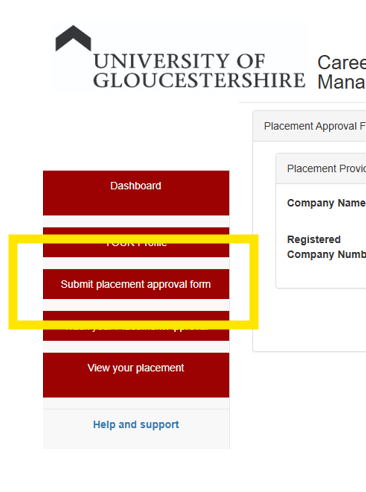
To complete your placement aproval form, first click on the menu link “Submit placement approval form”
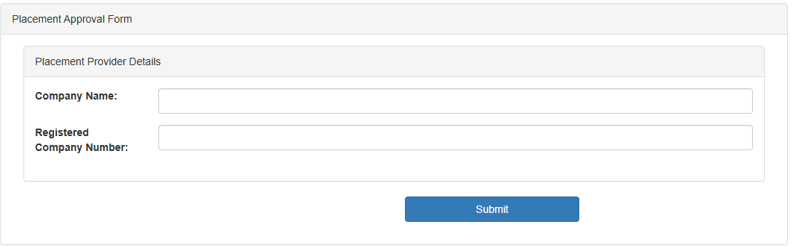
Next enter the Company name and, if you have it, the company or charity number. The press submit.
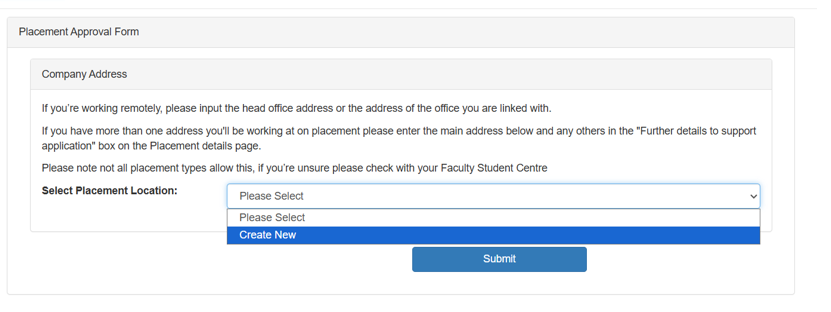
Next, you need to enter the address of the placement. This is a drop-down list; if your placement is already listed, then select it from the list. If your placement is not listed, you will need to add the address. To add a new address, select Create New from the drop-down list and click Submit.
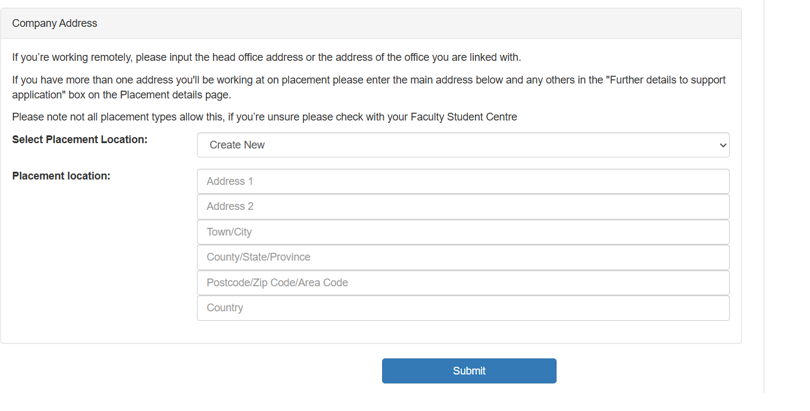
Enter all of the address details and press submit
Next, you need to enter the contact details at the placement. Enter all the required details and click Submit.
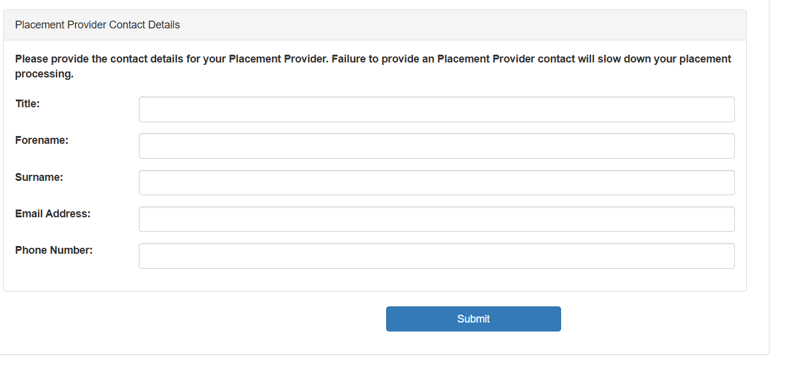
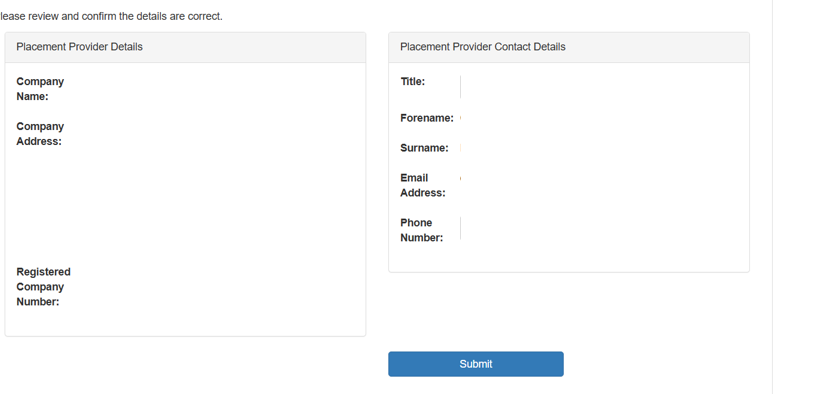
If the contact details are already in the system, you may see a dialogue box asking if you wish ot use the existing details or continue to add your own. Last, you will see a dialogue box similar to the one below, where you can review the contact details. Click submit once you are happy that everything is correct.
Lastly, you need to give the details for the placement, including: (please see supporting notes at the bottom of the page)
- Select the format of the placement (drop-down box)
- Select the type of placement (drop-down box)
- Your job title during the placement
- A summary of the duties you will be undertaking
- Your proposed start & end dates
- The contact email address for sending Health & Safety/contact information. Please note – it is vital that this email address is correct for your placement to be approved.
- If your placement is paid.
- Do you require a DBS Check
- Are you related to anyone at the placement, and the nature of your relationship to them
- Any further details to support your application
Once you have completed the form, click submit. The form will then be sent to your module tutor for checking and confirmation.
Supporting information
Please select your placement format
- Undergraduate year-long placementSelect this option if your undergraduate degree includes a year-long placement
- . To qualify, the placement must last at least 40 weeks and be full-time.
- The University defines full-time as 35 hours per week; however, this may be 37.5 or 40 hours depending on the employer.
- Postgraduate placement
- Choose this if you are studying at a postgraduate level.
- Short placement as part of a module
- Select this option if you are completing a short placement or several smaller placements that collectively meet the required number of hours for your module.
What type of placement are you doing?
- A placement working for a UK-based organisation
- Generally, in a paid or voluntary capacity, working directly for an organisation based at their premises or working from home or a combination of both?
- A placement working for an overseas-based organisation:
- Generally, in a paid or voluntary capacity, working directly for an organisation based at their premises or working from home or a combination of both?
- Undergraduate Freelance Placement:
- A form of self-employment. Freelancers lend their skills and talents to multiple clients on a flexible basis. They aren’t employed by a company or committed to a single customer. Freelancers have the freedom to choose the projects they want to work on and the clients they prefer to work with.
- Undergraduate Enterprise Placement:
- You may wish to set up or develop an existing business during your placement. Additional information will be sought before approval.
Is your placement paid?
To find out the current minimum wage, please visit the UK government website. It is important to note that for short-term placements, paid hours for some courses do not count as placement hours. Please check this with your module tutor.
- Yes – Equal to, or above UK Minimum wage
- Yes – Below UK Minimum wage
- No
- Don’t know