
| ARC Support
Completing placement evaluations
| Previous Page | Back to list of all ARC POW Guides | Next Page |
All placements must be evaluated at the end of the placement block. There are two ways to complete the evaluations. If method 1 is not showing for you, please move to the bottom of this page and use method 2.
Method 1
To evaluate your placement, click on the Practice Experience link at the top of the page and look at your placement names for any that say “Click here to evaluate this placement”
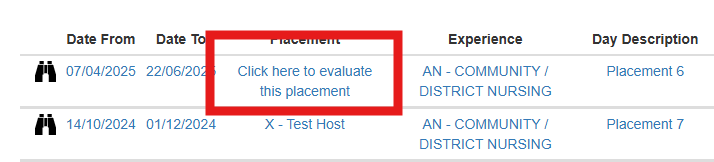
Once you click on the link, you will have a short form to complete to evaluate your placement.
If you see a message saying that your placement cannot be displayed, or that to see this placement you need to evaluate your previous placements, please use the navigation buttons at the bottom of the page and check all previous placements for missing evaluations.

Once the evaluation is complete, remember to click the blue submit button to save your evaluation.
Method 2
The alternative way to access your evaluation is via the placement details.
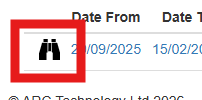
First, click on the binoculars to access the placement information
Next, click on the Start Evaluation link

This will now show the evaluation form. Remember to click the submit button at the bottom of the page once you have answered all of the questions.